For Messages, stories, and moments

The stories worth passing down.

Stacks is a warm, private place to gather your family's photos, voice messages, stories, and advice — and hand them to the people who matter, on your terms and in your time.

New: tap-to-open keepsakes for cards, gifts, frames, and family objects.
A home for every kind of Message
📷 Photos 🎬 Videos 🎙️ Voice messages 📖 Stories 💬 Conversations Q&As 💡 Advice 🍳 Recipes 🎂 Birthday messages 🗺️ Life lessons 📷 Photos 🎬 Videos 🎙️ Voice messages 📖 Stories 💬 Conversations Q&As 💡 Advice 🍳 Recipes 🎂 Birthday messages 🗺️ Life lessons
What is Stacks

Some things shouldn't live in a group chat.

A Message is a little collection — a story, a conversation, a Q&A, a set of photos, a piece of advice — gathered with love and saved for the people you choose. No feeds, no followers, no noise. Just your family, and the things you want them to keep.

Made to be heard

Record a voice message, add a photo, or film a moment. The little details — a laugh, a phrase, the way they said your name — are the part that lasts.

Yours to share — privately

You decide who sees each Message and when. Share with one grandchild, the whole family, or keep it for a day that hasn't arrived yet.

Kept safe

Your Messages are stored securely and access is controlled by you. No ads, no selling your family's moments — just a quiet, trusted place.

How it works

Three simple steps to pass it down.

No learning curve. If you can send a text, you can build a Message.

Capture the moment

Add photos and videos, record a voice message, capture a candid conversation or Q&A, and gather the context that makes the moment meaningful. Mix media freely — a Message can hold the pieces together.

Shape the Message

Arrange your cards into a Message with a title and a little context, so the meaning comes through years from now.

Pass it down

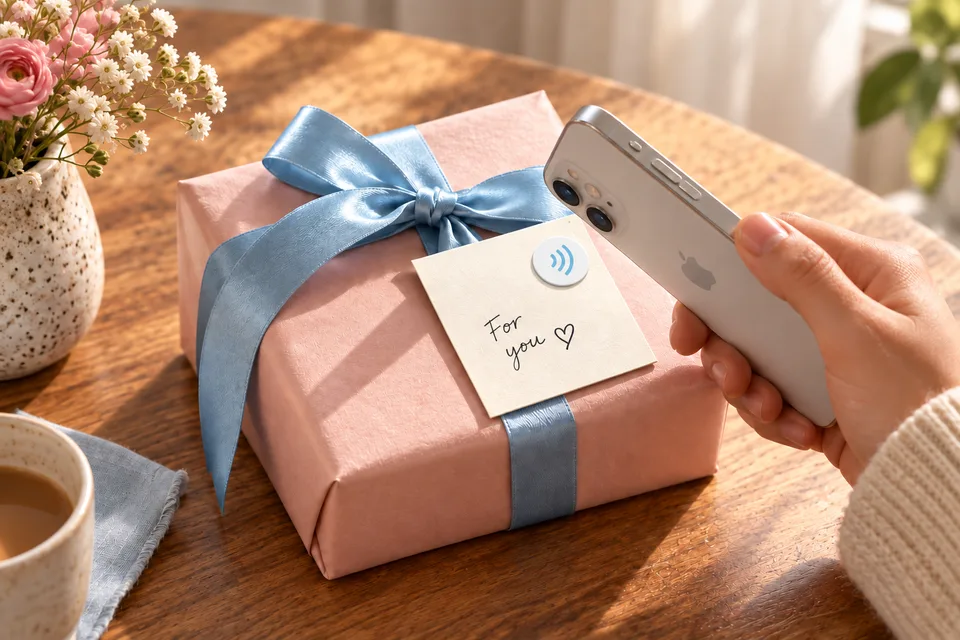
Choose who receives it and when. Share a link, hand it off in the app, or make a tap-to-open keepsake for the right moment — a birthday, a graduation, someday.

Tap-to-open keepsakes

Make a Message physically present.

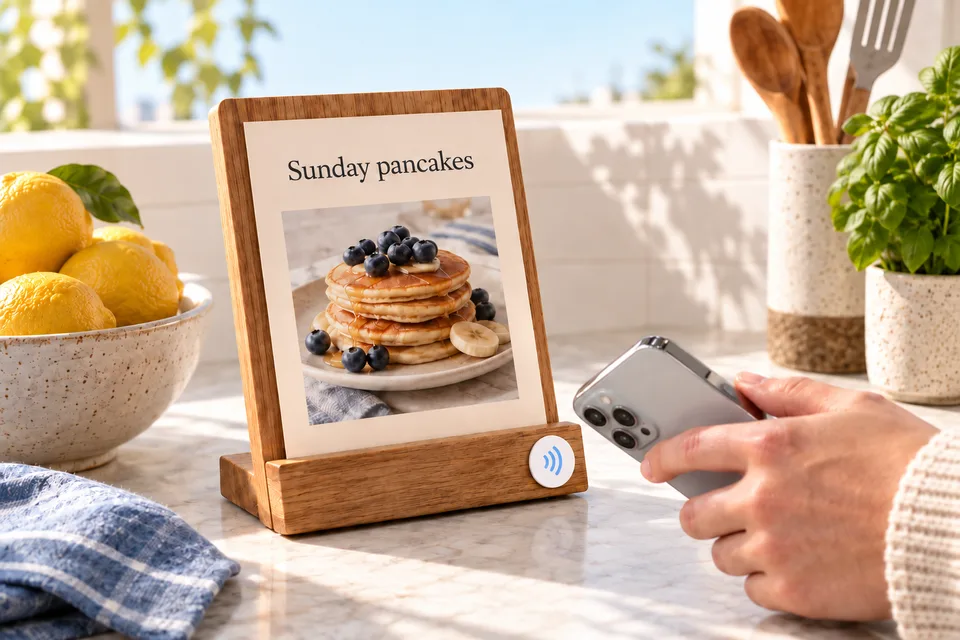
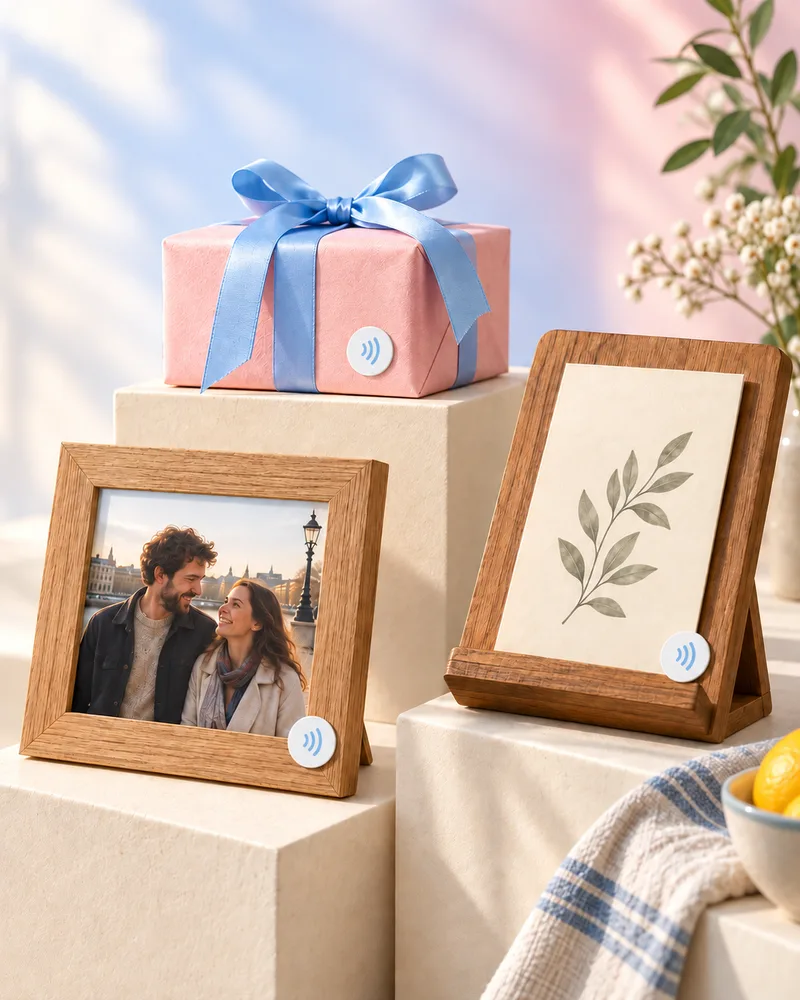
Write a Message to a supported NFC sticker or tag, place it on a card, frame, recipe, gift, or keepsake box, and someone you love can tap it later to open the photos, voice, video, and message you chose.

Create Build the Message with what you want them to keep.
Place Write it to an NFC sticker and attach it to something meaningful.
Tap They open the Message from the object in front of them.
Why families love it

Everything a Message needs to last.

Shared the way families actually work

Give different people different access — viewers, recipients, contributors. Some Messages are for everyone; some are meant for one person, one day.

👵 Grandparents 👨‍👩‍👧 Parents 🧒 Kids

Gentle AI help

Optional tools can help polish a narration, prompt a Q&A, or shape a conversation — only if you ask. Always your words, your call.

For the right moment

Save a Message now and let it arrive later — for a milestone, or a someday you choose.

Turn a Message into a keepsake

Send a private link or write a supported NFC sticker so loved ones can open a Message from a card, photo frame, gift, or browser — and you can revoke access later.

Why it matters

The things we mean to say have a way of going unsaid.

Photos scatter across phones. Voicemails get deleted. The stories only Grandma knows fade a little more each year. Stacks gives them one warm, lasting home — so the people you love can hear you, long after the moment has passed.

1 homeFor photos, video, voice & writing
You decideWho sees each Message, and when
0 adsYour family is never the product
“One day, the only voice they'll have left is the one you saved.”
— the reason we built Stacks
Good to know

Questions, answered.

Who can see what I add to Stacks? +

Only the people you choose. Every Message has access controls — you pick who can view or receive it, and you can change that at any time. There are no public feeds and no followers.

What kinds of things can a Message hold? +

Photos, videos, voice messages, conversations, Q&As, captions, and related details — alone or mixed together. A Message is flexible, so it can be a single voice message or a fuller collection around one person, moment, or story.

Is my family's content private and secure? +

Yes. Content is stored securely and access is controlled by you. Stacks doesn't run ads or sell your information. You can read the full details in our Privacy Policy.

Can I save something to be shared later? +

That's one of the most loved parts of Stacks. You can prepare a Message now and choose to pass it along at the right time — a birthday, a milestone, or a day in the future.

How do tap-to-open keepsakes work? +

In Stacks, choose a Message and write it to a supported NFC sticker or tag. Place it on a card, gift, frame, album, or keepsake. When someone taps it, Stacks opens the Message viewer. You stay in control and can revoke the tag.

How much does it cost? +

Stacks is free to start. Optional storage subscriptions and AI credits are available through the App Store if you need more room or want extra tools — entirely up to you.

How do I delete my account or data? +

You're always in control. See Data Deletion & Retention for how to remove your account and what happens to your content.

Start the Message your family will keep forever.

Free to begin. A few minutes today becomes something they'll treasure for a lifetime.